The St Mary's Wireless Network is available in most areas of the campus and is free for St Mary's students and staff. The university also provides access to Eduroam, which can also be used at other university institutes around the country.
For students living in campus accommodation, please refer to the section for Glide Broadband below.
Eduroam is a shared Wi-Fi service enabling St Mary's students and staff to connect to Wi-Fi on both the St Mary's campus and at other universities. This service is free of charge and will work with most Wi-Fi enabled devices, including laptops, smartphones and tablets.
Please be aware that your username for the eduroam service is: REGNUM@live.stmarys.ac.uk.
How to connect to Eduroam
- Make sure Wi-Fi is switched on your device and scan for new networks
- If the university you are at supports the service, you should see a network called Eduroam appear on the screen
- Select the Eduroam network from the list and connect to it
- When prompted, enter the following login details:
- For username/identity, enter REGNUM@stmarys.ac.uk (e.g. 123456@stmarys.ac.uk)
- For password, enter your usual St Mary's IT password
- If you receive any security warnings about certificates, click Connect
- Your device will usually remember the login settings above and in most cases will automatically connect to Eduroam Wi-Fi at any university to provides this service.
If your password has changed
When you change your university account password you will need to set up Eduroam Wi-Fi on your personal devices again.
To reconnect to Eduroam Wi-Fi you will first need to remove/forget the Eduroam network on your laptop or device:
- Go to the Settings application on your device
- Open the Wi-Fi option
- Select Eduroam and choose "forget"
- You can now re-connect to Eduroam
Setting Up Eduroam for Android
- Download the geteduroam app from Google Play Store and install the geteduroam app
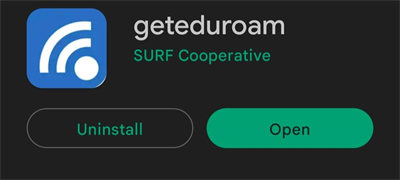
- Once downloaded click to open
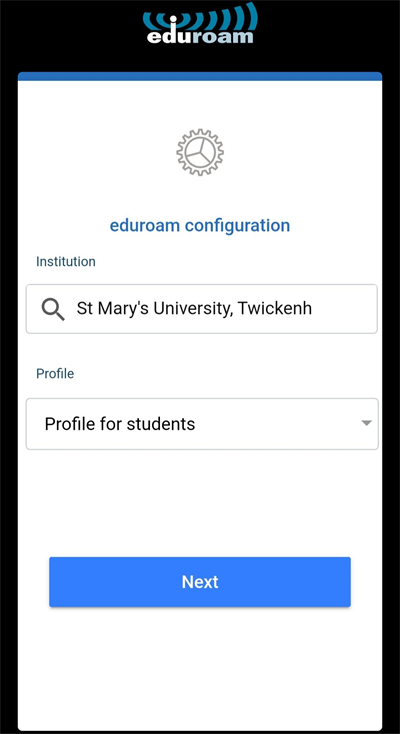
- Click "Select an institution"
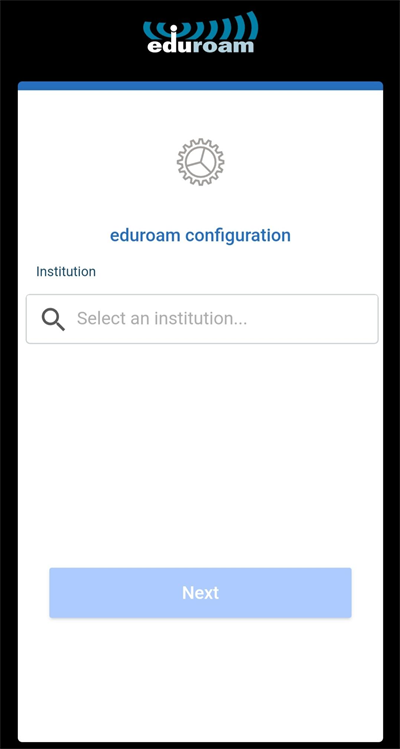
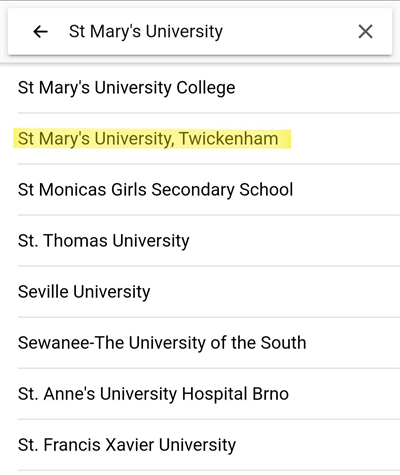
- Type St Mary's University then select St Mary's University Twickenham
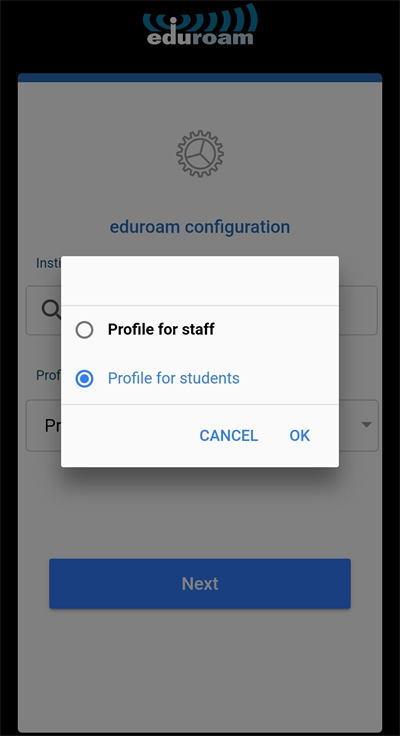
- Click "Select a profile..."
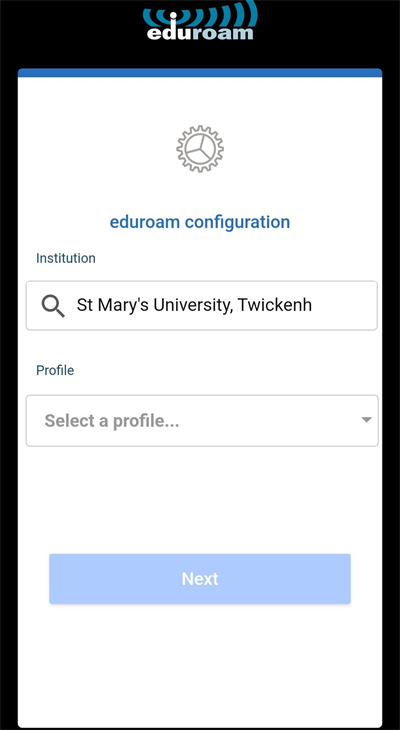
- Select the profile for staff, then "ok"
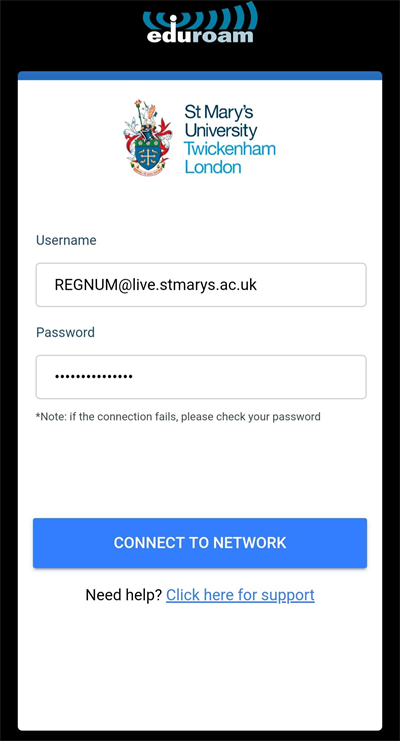
- Enter your username e.g. REGNUM@stmarys.ac.uk and password and click "CONNECT TO NETWORK"
- Click "save" to save the network to your phone
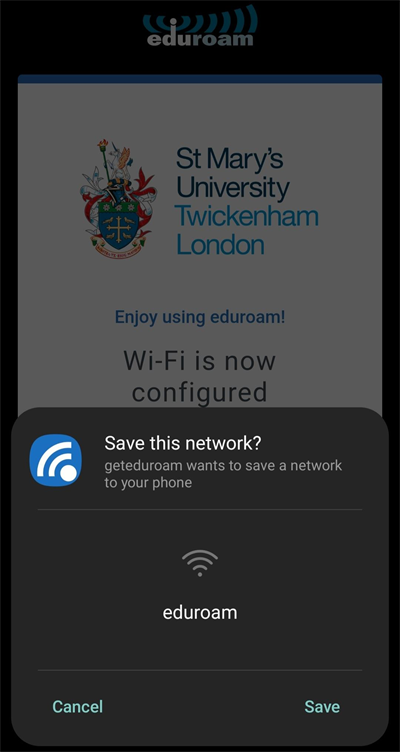
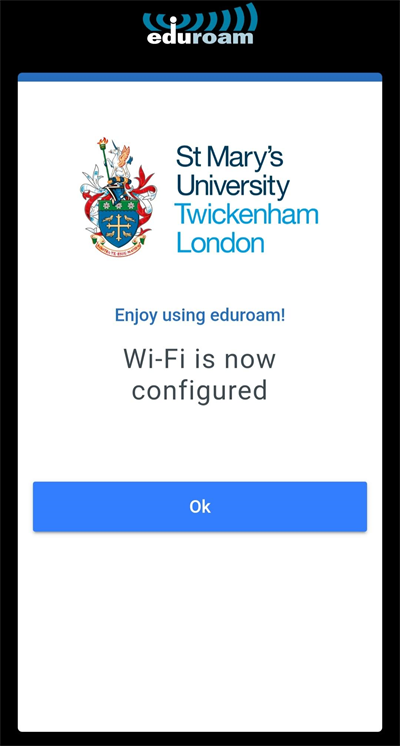
If your password remains the same, you will automatically be connected to eduroam whenever you are on campus. If you reset your password, you will need to repeat this process.
Setting Up Eduroam for Apple
- Go to settings on the Apple device then Wi-Fi
- Select eduroam
- Enter your username e.g. REGNUM@live.stmarys.ac.uk and password and click "Join"
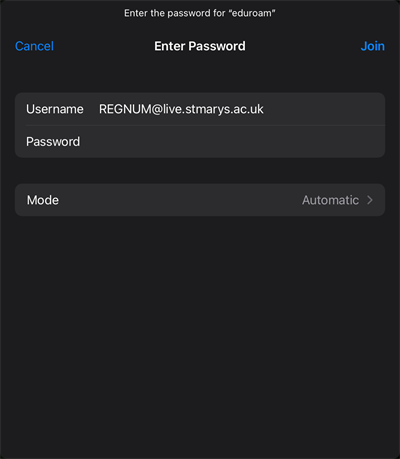
- A Certificate box will appear click "Trust"
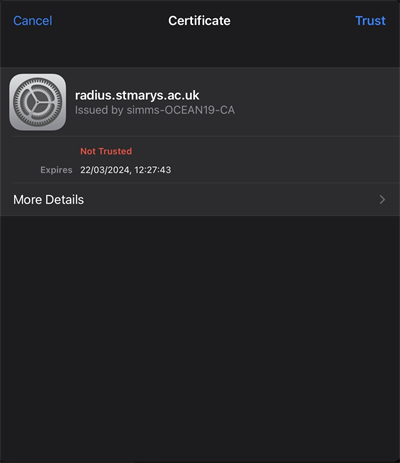
- You will see connected to eduroam
If your password remains the same, you will automatically be connected to eduroam whenever you are on campus. If you reset your password, you will need to repeat this process.
To access the Wi-Fi network:
- Open the Wi-Fi settings on your device, find ‘St-Marys’ and connect.
- You should be automatically taken to the St Mary’s login portal or prompted. If not, try to load a webpage in your web browser.
- Enter your St Mary’s Username and Password.
- Agree to abide by the policies set out in the IT Policy by ticking the box.
- Click on ‘Sign in’.
- Open a browser start surfing the internet.
If you are having issues connecting, or you have connected to the Wi-Fi and are receiving a "No internet" error, please try the steps below:
- Open Windows Settings by clicking the Start / Windows button and clicking the Cog icon.
- Go to Network and Internet
- Click Proxy on the left hand side
- Scroll down to Manual Proxy Setup. Make sure option "use a proxy server" is toggled off.
- Try to connect to St Mary's Wi-Fi and load a webpage.
- You may be redirected to a St Mary's login page, please enter your normal IT account username and password, tick the checkbox, click click Login.
If that doesn't work, please forget and reconnect to the St Mary's Wi-Fi:
- Open Windows Settings by clicking the Start / Windows button and clicking the Cog icon.
- Go to Network and Internet
- Click on Wi-Fi on the left hand side
- Click Manage Known Networks
- Click on St Mary's and click Forget
- Reconnect to St Mary's using the normal bottom right Wi-Fi menu, using password stmaryswireless
- You may be redirected to a St Mary's login page, please enter your normal IT account username and password, tick the checkbox, click click Login.
If you see a network that appears with the name "St Mary's 2" please follow the steps above for forgetting Wi-Fi and forget all St Mary's networks. This is due to us changing how users connect to the Wi-Fi network.
If you still cannot access the login page, please contact the Helpdesk.
- Open the Wi-Fi settings on your device, find ‘St-Marys Guest’ and connect.
- You should be automatically taken to the St Mary’s login portal or prompted. If not, please try to load a webpage in your web browser. Type in your mobile number in international format (ie +44 for UK) & click on continue.
- Now you should receive a code via SMS on mobile; Type in the code and accept the policy by ticking.
- Scroll down the agreement page and click on ‘Sign In’.
- Now you will be prompted with St-Marys page, click ‘Done’ and you will be connected to the Wi-Fi.
- Open a browser start surfing the internet.
Broadband access in all St Mary's accommodation is provided by Glide on behalf of the University.
The internet is available throughout all rooms, corridors, and some external areas outside most buildings, providing users with both wired and wireless connectivity via live data ports in every room. There are no limits on the number of devices that can be connected, with an average demonstrable fibre or broadband speed of 50 Mbps. Glide also guarantees to upgrade the main internet gateway if usage reaches 80%, ensuring reliable performance. The service is suitable for all purposes, including studying, streaming, gaming, and leisure activities.
To connect to this, please see below:
Step 1: Find our network
- Scan for available Wi-Fi networks and select Glide, or alternatively connect your device using an Ethernet Cable to the available ports in your room.
- If you can't see the Glide network, please select "Glide_2.4". If your device displays both "Glide" and "Glide_2.4" then please continue to the main "Glide" network.
- Open a web browser window on your device such as Google Chrome or Internet Explorer. You should be redirected to the Glide welcome screen.
Step 2: Select your free service
- For the FREE broadband product, click Register.
- You will automatically be re-directed to a login page.
Step 3: Login in or create account
- If you're an existing user, log in using your username and password. If you're a new user click create account.
- Complete all fields and choose a memorable username and password.
- Accept the Terms and Conditions by clicking I accept.
Step 4: Start browsing
- If registration has been successful a confirmation screen is displayed and you will be logged in automatically.
- You will receive an email confirming your username.
If you require any technical assistance, please contact Glide at 0333 123 0115
For further guidance, please see the user guides below: